Updated for 2026

Best Image to Video AI Tools (2026)

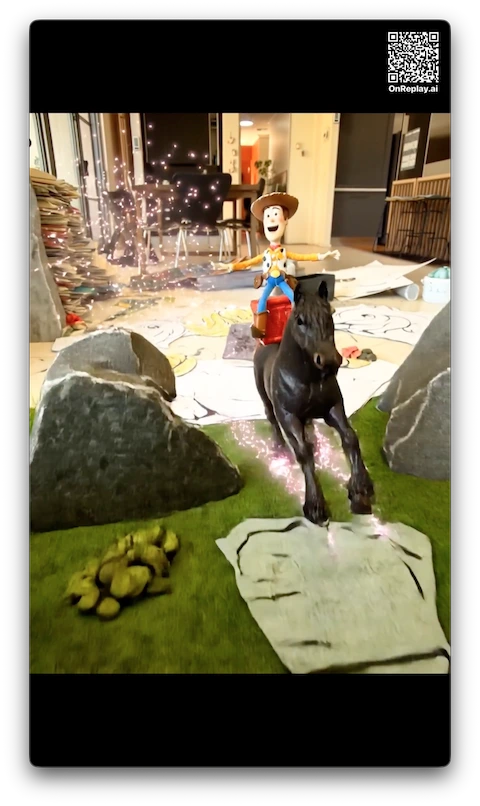
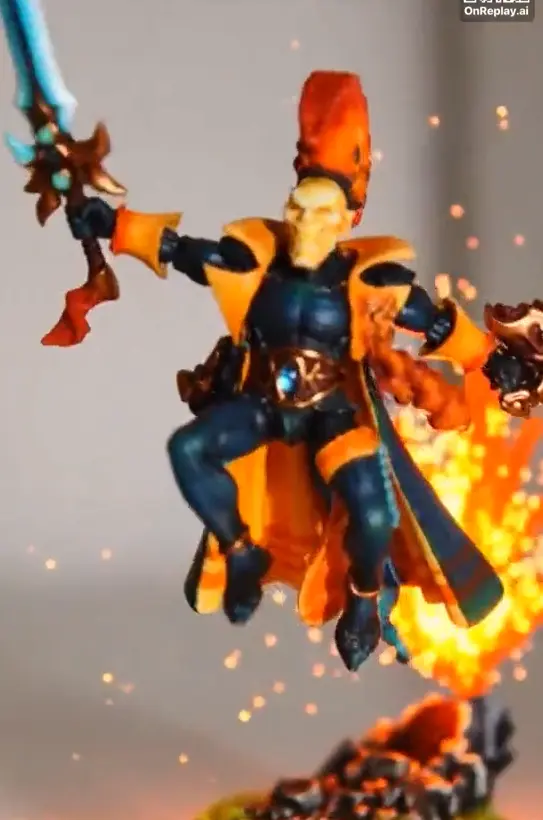
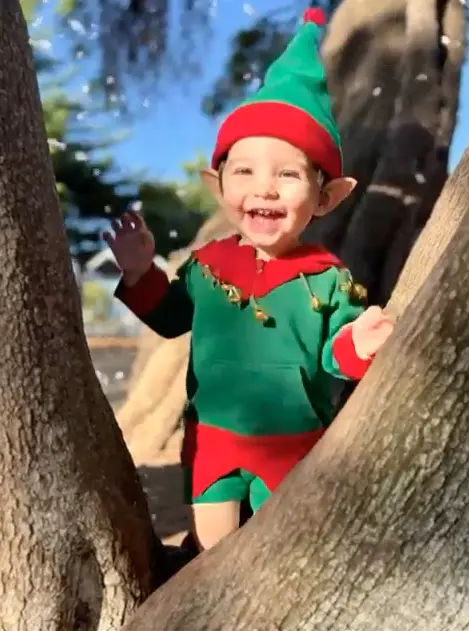
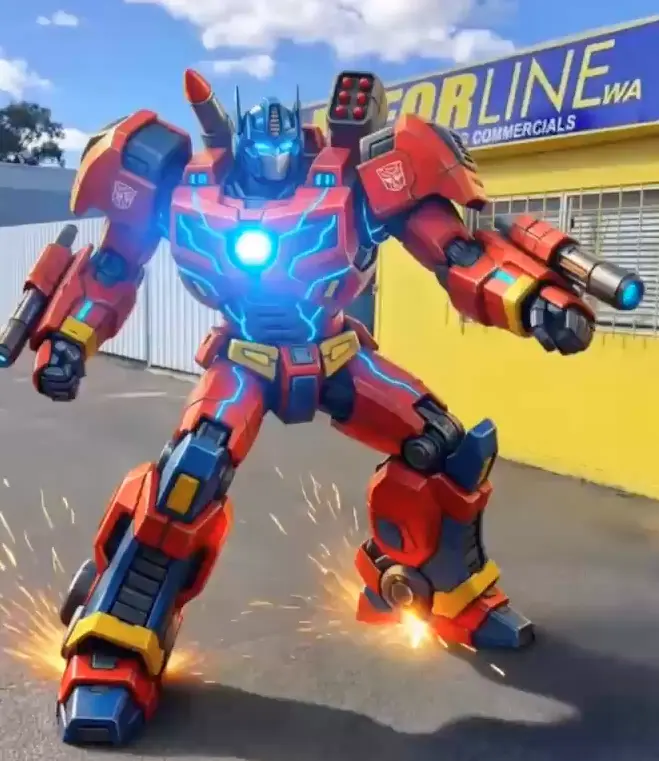
Image to video AI tools can now turn static images into moving clips, cinematic sequences, and even polished family films with almost no manual editing.

The category has exploded in 2026, from free creator tools and social apps to premium platforms for professionals. This guide compares the best image to video AI options for family memories, standout social content, creative production, and emotional photo-to-video gifts.

Pricing models and free-tier availability checked in March 2026.

At a glance

Quick Comparison Table

If you want the short version: OnReplay is best for complete multi-photo family films and visually distinctive social videos, Runway and Luma are strongest for high-end creator workflows, and CapCut is the easiest free entry point for social-first users.

Tool Best For Free Tier Pricing Quality Ease of Use
OnReplay Turning multiple photos into one finished family film or scroll-stopping social video Yes $9.90 / $24.90 / $79.90 5/5 5/5
Runway Creators who want studio-style control and experimentation Yes (limited) Subscription with credits 5/5 3/5
Luma AI (Dream Machine) Stylized, cinematic-looking short generations Yes (limited) Subscription with usage limits 5/5 3/5
Kling AI People chasing realistic motion and strong value Yes Credits or subscription 4/5 3/5
Pika Fast, playful short-form experiments Yes Freemium 4/5 4/5
D-ID Speech-driven clips and talking portraits Trial only Subscription or minutes-based usage 4/5 4/5
HeyGen Business videos, avatar explainers, and demos Yes (limited) Subscription 4/5 4/5
CapCut AI Creators who want a free-ish editing and assembly workflow Yes Free with optional paid upgrades 3/5 5/5
Canva AI Video People who want templates, editing, and basic AI in one place Partial Included in Canva Pro 3/5 5/5
AnimateAI Simple, lightweight animation experiments Yes Freemium 3/5 5/5
Detailed Breakdown

Which Image to Video AI Tool Fits Your Use Case?

The table above helps with a quick scan. The sections below explain where each tool shines, where it falls short, and why the category is much broader than a simple โ€œbest overallโ€ label suggests.

Turning multiple photos into one finished family film or scroll-stopping social video $9.90 / $24.90 / $79.90 Free tier: Yes

OnReplay โ€” Best for emotional family films and standout social videos from multiple photos

OnReplay is the strongest image to video AI pick if your goal is not just a short clip, but a complete emotional film or a distinctive multi-scene social video from multiple photos. Instead of asking you to prompt, edit, and stitch separate generations together, it handles the flow for you.

That makes it especially useful for anniversaries, memorials, birthdays, family keepsakes, and social posts built around big visual transformations. Think worlds where someone becomes a yakuza, an 80s pin-up, a football champion, or another cinematic character rather than just a lightly animated portrait.

It also stands out on pricing clarity. The paid plans are easy to understand, and the free tier gives people a lower-friction way to try the workflow before committing.

If you want a photo to video tool that can turn a folder of memories into something cinematic with music and structure, or into a bold social asset using one of OnReplayโ€™s distinctive worlds, it is the most complete option in this list.

If your main use case is themed transformations rather than a full memory film, the fastest place to start is the AI Photo Booth, which showcases looks like Yakuza nightlife, KPOP idol energy, football champion moments, cosplay, and retro glam. If your priority is a reception-ready photo story, see our wedding slideshow guide. If you need a gentler remembrance format, the memorial slideshow guide and tribute video maker guide are the better starting points.

What Reddit users keep pointing out

Across Reddit gift and family-memory discussions, people consistently value emotional payoff and simplicity over advanced controls. That lines up well with OnReplayโ€™s done-for-you film approach, and its transformation-style worlds also make it more socially shareable than a typical sentimental tool.

Pros

  • Creates complete films instead of isolated short clips
  • Combines multiple photos into a single narrative with music
  • Distinctive themed worlds make it strong for standout social content too
  • No prompting or editing workflow to learn
  • Simple plan structure instead of confusing credit math

Cons

  • Less suited to creators who want frame-by-frame control
  • Not built for avatar presentations or talking-head marketing videos
  • More opinionated than open-ended studio tools

Pricing summary

OnReplay uses a simple plan structure based on how much story you want to tell: $9.90 / $24.90 / $79.90. There is also a free tier, so you can test the workflow before upgrading.
Creators who want studio-style control and experimentation Subscription with credits Free tier: Yes (limited)

Runway โ€” Best for creative professionals

Runway is one of the biggest names in AI video for a reason. It offers strong image-to-video models, flexible creative tooling, and a workflow that appeals to designers, agencies, and people building polished content.

It is not the easiest option for casual users, and the free tier disappears quickly if you do serious testing. But if your priority is creative control and broader video tooling, Runway remains a top-tier choice.

What Reddit users keep pointing out

Reddit users regularly praise Runway for creative flexibility, but also complain that the free credits are too limited for meaningful experimentation.

Pros

  • Strong creative control for serious video workflows
  • High output quality on premium models
  • Free plan available for lightweight testing
  • Good fit for broader production pipelines

Cons

  • Free credits run out fast
  • Less intuitive for non-technical or gift-focused users
  • Pricing model is harder to budget than flat packages

Pricing summary

Runway offers a free plan with limited credits, then moves into paid subscription tiers. Public pricing and free-tier limits were checked in March 2026.

Stylized, cinematic-looking short generations Subscription with usage limits Free tier: Yes (limited)

Luma AI (Dream Machine) โ€” Best for cinematic quality

Luma Dream Machine is a strong image to video AI option when you care most about a cinematic look. It is especially appealing to people making short visual pieces, mood clips, and polished social assets.

Like Runway, it is better for short-form creation than for complete multi-photo storytelling. Reddit discussions often put it in the top group for visual quality, but not necessarily for simplicity or value.

What Reddit users keep pointing out

A recurring Reddit theme is that Luma feels strong for cinematic short generations, but users still reach for other tools when they need longer or more production-ready outputs.

Pros

  • Cinematic motion and strong visual style
  • Free plan exists for testing
  • Well suited to short polished clips
  • Fast enough for iterative creative work

Cons

  • Free usage is limited and lower priority
  • Not designed for full family-memory films
  • Subscription tiers still require trade-offs on volume

Pricing summary

Luma Dream Machine has a limited free plan and then moves into paid subscription tiers. Public plan details were checked in March 2026.

People chasing realistic motion and strong value Credits or subscription Free tier: Yes

Kling AI โ€” Best for realistic motion

Kling AI has built a strong reputation for realistic motion and good value, especially among people creating short visual hooks and b-roll style sequences. It is often recommended in Reddit creator threads as part of a broader workflow.

The trade-off is that, like most tools in this category, it is usually best at short outputs rather than long story-led videos. It is a better fit for creators than for families who want a finished keepsake.

What Reddit users keep pointing out

Reddit creator threads often mention Kling as a strong value play, especially when people want realistic motion without paying premium studio-tool prices.

Pros

  • Frequently praised for realistic motion
  • Free tier is easier to test than many competitors
  • Solid value compared with some premium tools
  • Useful inside a larger AI video workflow

Cons

  • Credit math can still be confusing
  • Best outputs are short rather than story-led
  • Workflow is less turnkey than consumer gift tools

Pricing summary

Kling offers both free usage and paid credit or subscription options depending on region and plan type. Public plan details were checked in March 2026.

Fast, playful short-form experiments Freemium Free tier: Yes

Pika โ€” Best for short creative clips

Pika is a good choice when speed and creativity matter more than long-form structure. It is approachable, quick to test, and often easier to use than heavier professional tools.

That makes it attractive for short clips, memes, social experiments, and lightweight creative concepts. It is less compelling if your goal is a polished emotional film from many photos.

What Reddit users keep pointing out

Reddit users often describe Pika as one of the easiest tools to try when they want short, fun, creative output without diving into a more complex workflow.

Pros

  • Easy to start with
  • Good free path for testing short clips
  • Strong fit for social-first experimentation
  • Faster learning curve than many pro tools

Cons

  • Not built for complete multi-photo films
  • Free tier is still limited by credits and output quality
  • Less depth than higher-end production tools

Pricing summary

Pika uses a freemium model with limited free credits, then paid subscription tiers for heavier use. Public pricing details were checked in March 2026.

Speech-driven clips and talking portraits Subscription or minutes-based usage Free tier: Trial only

D-ID โ€” Best for talking head videos

D-ID is a better fit for talking portraits, avatar-style narration, and presenter videos than for broad image-to-video creativity. If you specifically want a still image to speak, it remains a relevant tool.

It is less suitable as a pure photo to video AI choice for family storytelling or cinematic clips. In practice, it sits adjacent to the category rather than defining it.

What Reddit users keep pointing out

Users tend to mention D-ID when they need a face to talk, not when they need broad image-to-video creativity or multi-photo family storytelling.

Pros

  • Excellent for talking-head use cases
  • Easy to understand for presentation workflows
  • Strong commercial fit for explainers and demos
  • Well-known platform with a mature product

Cons

  • Not ideal for cinematic photo storytelling
  • Trial is limited rather than a generous free tier
  • Minutes-based usage is less intuitive for casual users

Pricing summary

D-ID primarily operates on paid plans and limited trial access, with usage tied to minutes or plan allowances. Public pricing details were checked in March 2026.

Business videos, avatar explainers, and demos Subscription Free tier: Yes (limited)

HeyGen โ€” Best for AI avatars and presentations

HeyGen is one of the easiest ways to build avatar-led business videos, training content, and presentations. It is polished and relatively accessible compared with more experimental AI video tools.

That said, it is not really a family-photo movie maker. If you need a spokesperson or digital presenter, it is excellent. If you want emotional photo storytelling, it is less aligned.

What Reddit users keep pointing out

Reddit mentions HeyGen mostly in the avatar and marketing-video context, which is useful to note if your image-to-video need is actually presentation-driven.

Pros

  • Very polished avatar and presentation workflow
  • Beginner-friendly for business content
  • Free tier exists for limited testing
  • Strong templates and commercial positioning

Cons

  • Less relevant for cinematic family films
  • Subscription value depends on repeated use
  • Not a true multi-photo storytelling tool

Pricing summary

HeyGen includes a limited free plan and then paid creator or pro tiers for heavier production. Public pricing details were checked in March 2026.

Creators who want a free-ish editing and assembly workflow Free with optional paid upgrades Free tier: Yes

CapCut AI โ€” Best free option for social media

CapCut is not the most advanced image to video AI on this list, but it is one of the most accessible. It works especially well for creators who want basic AI help plus editing, captions, music, and assembly in one familiar app.

That makes it one of the best starting points if your budget is close to zero. The downside is that you will usually do more manual work than you would with a specialized premium tool.

What Reddit users keep pointing out

A common Reddit pattern is to use CapCut as the finishing layer after generating clips elsewhere, especially for social content and lightweight editing.

Pros

  • Very approachable for non-technical users
  • Strong free path for casual creators
  • Useful for editing and finishing social clips
  • Good option when you need a full lightweight workflow

Cons

  • Output quality is not in the top cinematic tier
  • Some AI features are limited or paywalled
  • More manual assembly than done-for-you film tools

Pricing summary

CapCut remains free for core use, with optional paid tiers for more advanced AI and export features. Public pricing details were checked in March 2026.

People who want templates, editing, and basic AI in one place Included in Canva Pro Free tier: Partial

Canva AI Video โ€” Best for non-technical users

Canva is appealing because millions of people already know the interface. If you want simple templates, drag-and-drop editing, and light AI assistance, it is one of the easiest platforms to learn.

The limitation is depth. Canva AI video is useful for simple projects and short social assets, but it is not where most creators go for best-in-class image-to-video quality.

What Reddit users keep pointing out

Users tend to pick Canva when convenience matters more than raw generation quality, especially if they already live inside the Canva ecosystem.

Pros

  • Extremely easy for non-technical users
  • Helpful if you already use Canva
  • Templates make assembly fast
  • Some AI access exists on the free plan

Cons

  • Not a top-tier image-to-video engine
  • Best AI functionality pushes users toward Pro
  • Short output and template feel can limit originality

Pricing summary

Canva offers limited AI access on the free plan, with more generous usage inside Canva Pro. Public pricing details were checked in March 2026.

Simple, lightweight animation experiments Freemium Free tier: Yes

AnimateAI โ€” Best for quick photo animations

AnimateAI sits in the simpler end of the market. It is easy to understand and useful for people who want quick tests rather than studio-grade output.

That simplicity is the reason it ranks lower overall. It can be fine for lightweight experiments, but it is not the platform most people choose once quality or storytelling matters.

Pros

  • Very easy to try
  • Low-friction for casual experimentation
  • Freemium entry point
  • Good for basic photo animation tests

Cons

  • Lower ceiling on output quality
  • Not a strong option for professional work
  • Less market momentum than bigger competitors

Pricing summary

AnimateAI uses a freemium style model and is best viewed as a lightweight entry point rather than a full production platform. Public positioning was checked in March 2026.

Free Options

Free Image to Video AI Tools

If you are specifically searching for free image to video AI or photo to video AI free tools, the most practical starting points are CapCut, Pika, Canva, Kling, and the limited free plans from Runway or Luma.

The pattern is consistent across the category: free plans are good for testing the workflow, checking visual style, and making one or two short clips, but they are usually too restrictive for serious repeated use. The main limits are credit caps, watermarks, shorter durations, lower resolution, or slower queues.

OnReplay is the best value if you want a finished film without the usual free-tier friction. Instead of stacking several tools and manually editing the result, you can move from photos to a complete family story much faster.

User Signal

What Real Users Think

We reviewed creator and gift-focused Reddit discussions before shaping this page. These are the themes that showed up most often.

People rarely trust one tool to do everything

Threads in creator-focused subreddits repeatedly show people stacking tools together: generate motion in one app, then finish inside CapCut or another editor. That is a useful reminder that many so-called image to video AI tools are best for one part of the workflow, not the whole job.

Free tiers are for testing, not serious production

Across Reddit discussions, the same complaint comes up over and over: free credits disappear quickly. Free image to video AI tools are great for learning what fits your style, but they usually stop being practical once you want polished output at any scale.

Creative pros value control, families value simplicity

Runway, Luma, and Kling get the most attention from creators who care about motion quality and control. In gift-related threads, though, people care much more about emotional payoff, ease, and whether the tool can turn many memories into one finished piece.

Photo gifts that tell a story outperform generic keepsakes

In gift-oriented Reddit threads, people consistently describe personalized memory gifts, letters, and photo-based stories as the presents that get the biggest emotional reaction. That is a strong argument for finished film-style output over one-off novelty clips.

Decision Helper

How to Choose the Right Tool

For family memory films from multiple photos โ†’ OnReplay
For professional creative video production โ†’ Runway or Luma AI
For talking head or avatar videos โ†’ D-ID or HeyGen
For wedding slideshows and emotional reception stories โ†’ OnReplay, then compare free tools only if budget is the main driver
For memorial slideshows and tribute films from old family photos โ†’ OnReplay, especially if you want less manual editing
For quick social media clips or bold transformation-style posts like yakuza, 80s pin-up, or football champion worlds โ†’ OnReplay, Pika, or CapCut
For free basic photo animation โ†’ CapCut, Pika, or Canva
For realistic short-form motion and strong value โ†’ Kling AI
After comparing all the tools...

Ready to Create Your
Family Film?

OnReplay stands out for creating complete emotional films from multiple photos. No editing skills needed. Just upload, choose a style, and share.

FAQ

Frequently Asked Questions

What is the best free image to video AI tool?

If you want the easiest free starting point, CapCut and Pika are the most practical options for many people because they are approachable and do not demand a steep learning curve. For best overall value once you want a finished multi-photo film, OnReplay is the stronger step up.

Can AI turn old photos into videos?

Yes. Many image to video AI tools can animate old photos, but they do not all do the same thing. Some create a short motion clip from one image, while others are better at turning many family photos into a more emotional finished story. That is where OnReplay is particularly strong.

What is the difference between image to video AI and photo animation?

Photo animation usually means adding movement to an existing image, often in a subtle or portrait-first way. Image to video AI is broader and can generate camera motion, scene motion, or more dramatic transitions. In practice, many tools blur the line, and OnReplay combines both ideas inside a finished film workflow.

Which image to video AI tool has the best quality?

For raw cinematic output and creator control, Runway and Luma are among the strongest options. For realistic motion at a compelling price, Kling is a serious contender. For finished quality on an emotional multi-photo family film, OnReplay is the strongest fit.

Is there an AI that can make a movie from photos?

Yes. Most tools in this category create short clips from one photo, but a smaller number aim to build something closer to a movie. OnReplay is the closest match if you want multiple photos turned into one structured, music-led family film.

Do image to video AI tools work well for gifts?

They can, but only if the output feels complete. Creator-first tools are great for short experiments and polished clips, but they often still require editing. For gifts, the best options are the ones that make it easy to turn many personal photos into one finished piece with emotional impact.

Where to go next

If you want complete family films from multiple photos, start with OnReplay. If you are still comparing formats and use cases, see all head-to-head comparisons. If you are specifically looking for old-photo animation alternatives, looking for MyHeritage alternatives?

You can also read our complete tool guides, explore the AI Photo Booth for themed social-first transformations, or, if your goal is a keepsake rather than a creator workflow, browse our gift guides.