Love story timeline from childhood to wedding day
Updated for 2026
Wedding Slideshow: Ideas, Songs & Best Tools (2026)
A wedding slideshow can be one of the most emotional moments at any reception when it is done well. The problem is that many slideshows run too long, feel template-heavy, or land more like a school presentation than a celebration.
This guide covers the full topic: creative wedding slideshow ideas, songs, tools, templates, timing, and a modern alternative for couples who want something more cinematic than a deck of still photos.
Wedding Slideshow Ideas
A “how we met” sequence with short captions
Messages from friends and family woven between photo chapters
Funny childhood photos side by side
Travel photos from the relationship
Pet moments and family photos, especially if the pet is part of the story
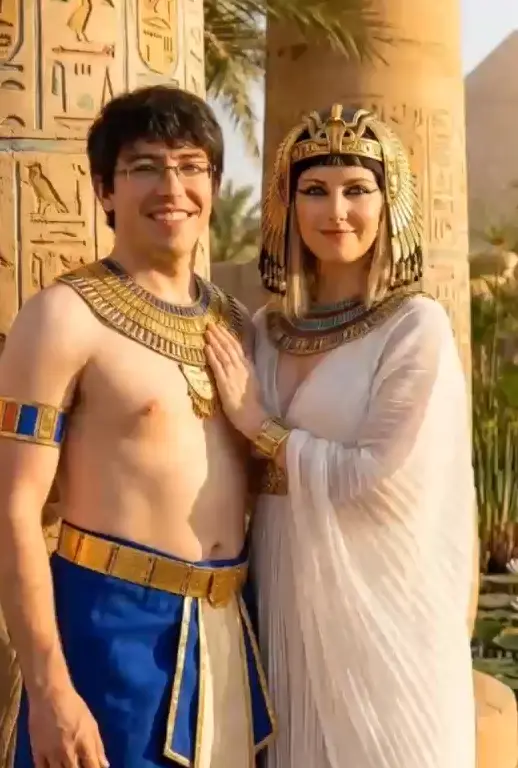
Recreated childhood or early-dating photos
Photo booth or candid guest compilation
Rehearsal dinner highlight reel
A short “in loving memory” section for loved ones who passed
Proposal-to-wedding mini arc
A one-year or ten-year anniversary version of the same story
If part of the slideshow is an “in loving memory” section, see our wedding remembrance ideas. If your pet is part of the couple story, the Pet Hub can also spark ideas.
Best Wedding Slideshow Songs
Romantic / Emotional
- “Can’t Help Falling in Love” — Elvis Presley
- “Perfect” — Ed Sheeran
- “Your Song” — Elton John
- “All of Me” — John Legend
- “At Last” — Etta James
- “Make You Feel My Love” — Adele
Fun / Upbeat
- “Crazy in Love” — Beyonce
- “You Make My Dreams” — Hall & Oates
- “Marry You” — Bruno Mars
- “Love on Top” — Beyonce
- “Signed, Sealed, Delivered” — Stevie Wonder
- “Best Day of My Life” — American Authors
Classic / Timeless
- “Stand by Me” — Ben E. King
- “L-O-V-E” — Nat King Cole
- “What a Wonderful World” — Louis Armstrong
- “Unchained Melody” — The Righteous Brothers
- “The Way You Look Tonight” — Frank Sinatra
- “Something” — The Beatles
Best Wedding Slideshow Makers Compared
Traditional slideshow makers help you arrange photos with transitions. OnReplay is different: instead of asking you to build a deck, it creates a cinematic photo film.
| Tool | Price | Ease of Use | Templates | Music | Quality |
|---|---|---|---|---|---|
| OnReplay | $9.90 / $24.90 / $79.90 | 5/5 | No template needed | Included | Cinematic |
| Animoto | ~$8/mo+ | 4/5 | Many | Library | Good |
| Smilebox | ~$7/mo+ | 4/5 | Many | Library | Good |
| iMovie | Free | 3/5 | Limited | Import | Good |
| Canva | Free / Pro | 4/5 | Many | Library | Basic |
| Google Photos | Free | 5/5 | Auto | Auto | Basic |
Wedding Slideshow Templates
Most slideshow tools sell templates as the shortcut: pick a style, drag in photos, swap the music, and hope the pacing works. That is useful if you already know how to edit and mainly need structure.
OnReplay sits in the opposite lane. It is the “no template needed” option because the story and pacing are already handled for you. That matters if you want a reception-ready result without manually sequencing every slide.
Slideshows for Every Wedding Event
Engagement party slideshow
Keep it light, shorter, and focused on how the couple met rather than trying to cover every wedding detail already.
Bridal shower slideshow
Include funny childhood moments, friendship photos, and family context that shower guests will appreciate.
Rehearsal dinner slideshow
This is often the best timing for the full relationship story because people are seated and expect a reflective moment.
Wedding reception slideshow
The main event should stay tight, visual, and emotional. Most receptions benefit from a shorter, higher-impact story.
Anniversary slideshow
A milestone version should lean harder into change over time and family history. See anniversary gift ideas.
Beyond Slideshows: Cinematic Wedding Films
Traditional slideshows are still photos with transitions. OnReplay is the evolution of that format: the photos feel more like moments inside a short film, with motion, pacing, and music already handled.
Current plans are $9.90 / $24.90 / $79.90. That makes it a strong fit for couples who want something more polished than a free slideshow tool but much easier than a full editing workflow.
Wedding slideshow alternative
Want something better than a traditional wedding slideshow?
If the goal is to hold attention, make people feel something, and avoid a too-long deck of static images, a cinematic wedding film is often the cleaner choice.
OnReplay handles the pacing and music for you, with current plan options of $9.90 / $24.90 / $79.90.
Current plans are $9.90 / $24.90 / $79.90, using the same global pricing shown across the site.
A strong fit for reception reveals, rehearsal dinners, anniversaries, and thank-you gifts
Frequently Asked Questions
How do I make a wedding slideshow?
Start by choosing the story you want to tell, then narrow the photos down to the best 30 to 50 images, add music, and keep the pacing tight. If you want a simpler route, OnReplay skips the manual slideshow-building step and creates a short cinematic film from the photos you upload.
What songs are good for a wedding slideshow?
The best songs fit the tone of the relationship and the room. Popular choices include “Perfect,” “Can’t Help Falling in Love,” “Your Song,” “Stand by Me,” and “What a Wonderful World,” but upbeat choices can work just as well when the story is playful.
How long should a wedding slideshow be?
Three to five minutes is usually the sweet spot. Long slideshows lose the room fast, which is why tighter formats tend to perform better at receptions and rehearsal dinners.
What is the best free wedding slideshow maker?
Google Photos and iMovie are the easiest free starting points for many people. They are useful for basic slideshows, but they are still manual tools and do not create the same cinematic result as OnReplay.
How many photos should be in a wedding slideshow?
For a traditional slideshow, 30 to 50 photos is often enough. The right number depends on pacing, but more photos is rarely better if it makes the slideshow drag.
More wedding support: Back to Wedding Hub, DIY Wedding Video, Wedding Gift Ideas, and compare all video tools.