Best Photo Animation Tools 2025
Complete guide to the top 10 photo animation tools. Compare features, pricing, and ease of use.
Read more →Turning a photo into a painting used to mean commissioning an artist for $200–$2,000 and waiting weeks. Now AI does it in seconds. But not all tools are created equal — most "photo-to-painting" apps just slap a filter on your image and call it art. We tested 8 tools on real photos (selfies, family portraits, pets) to find out which ones actually produce something you'd want to hang on your wall.
Bottom line: If you want a result that looks like a real painting — not a filtered photo — OnReplay Portrait Masterpiece is the clear winner. Free preview, 7 distinct styles, and results in under 60 seconds.
Price: Free preview, premium downloads from $29 | Speed: 30–60 seconds | Styles: 7
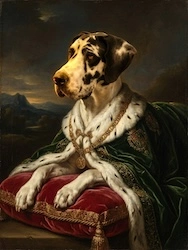
Portrait Masterpiece is purpose-built for one thing: turning photos into paintings that look like they belong in a gallery. Unlike general-purpose AI art tools, every style is tuned specifically for portraits — faces stay recognizable, skin tones are natural, and the brushwork matches the art period.
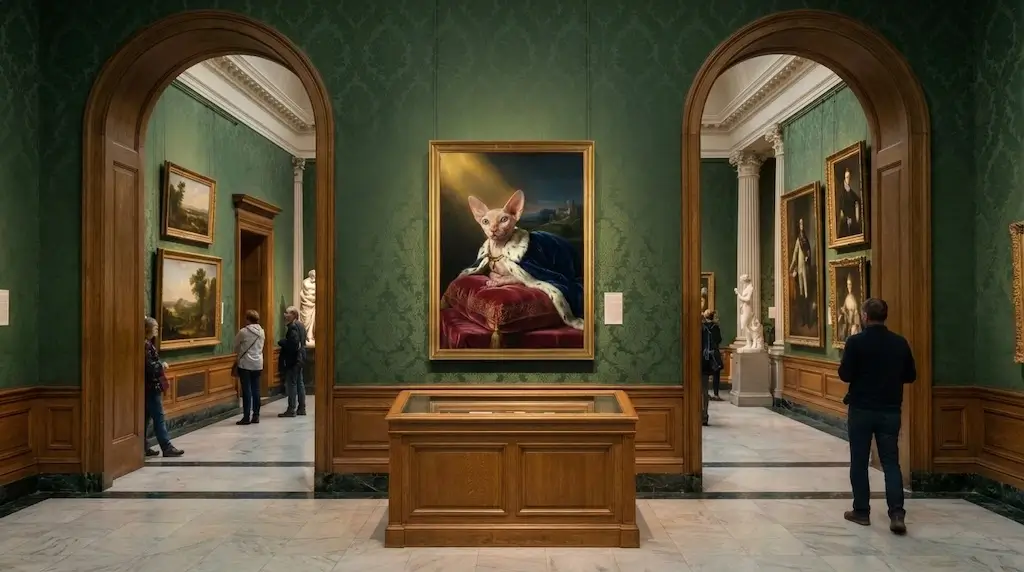
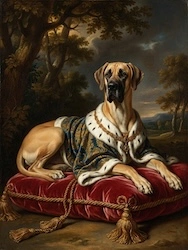
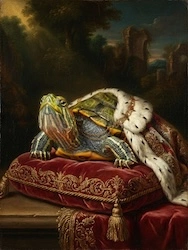
The seven styles cover the range most people want: Renaissance (warm oil painting), Baroque (dramatic Rembrandt lighting), Impressionist (soft Monet brushstrokes), Pop Art (bold Warhol colors), Watercolor (delicate translucent washes), Anime (stylized with expressive eyes), and Old Master Royal (your subject in regal robes). The Royal style is by far the most popular for gifts — especially pet portraits.
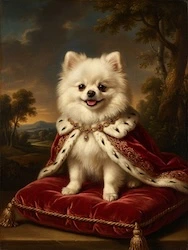
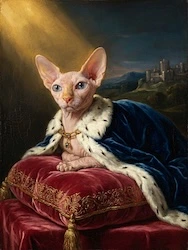
Free preview with watermark • 2 free retries
Price: Free (limited) / ~$8/mo premium | Speed: 5–15 seconds | Styles: 300+
Prisma was one of the first AI art filter apps and it still works well for quick, stylized transformations on mobile. The sheer number of filters means you'll find something interesting, but most results look more like "photo with artistic filter" than "actual painting." Face detail tends to get lost in the style transfer.
Price: Free (watermarked) / from €1.99 per image | Speed: 5–10 minutes | Styles: Custom upload + presets
DeepArt lets you upload your own reference painting and applies its style to your photo using neural style transfer. Great for abstract and modern art styles, but the results on portraits can be hit-or-miss — faces sometimes lose definition. Processing time is slower than competitors.
Price: Free (basic) / ~$4/mo pro | Speed: Instant | Styles: ~20 art effects
Fotor's "GoArt" feature applies painterly effects to photos. It's fast and cheap, with a reasonable free tier. However, the results are clearly filter-based rather than true neural style transfer — edges stay sharp where a real painting would soften, and the "brushwork" is uniform rather than varied.
Price: Free | Speed: 10–30 seconds | Styles: 3 colorization modes
PaintsChainer specializes in colorizing line art and sketches rather than converting photos. If you have a drawing you want colored in anime or watercolor style, it's excellent. For photo-to-painting specifically, it's not the right tool.
Price: Free (5 credits/day) / from $6/mo | Speed: 30–120 seconds | Styles: Multiple AI engines (DALL-E, Stable Diffusion, VQGAN+CLIP)
NightCafe is a full AI art platform that supports multiple generation engines. You can do style transfer from photos, but the primary focus is text-to-image generation. For portrait painting specifically, the results are inconsistent — sometimes stunning, sometimes unrecognizable.
Price: Free (basic) / ~$13/mo pro | Speed: Instant | Styles: ~10 paint effects
Canva's photo-to-art effects work within the broader Canva design ecosystem. Useful if you want to add painterly effects AND combine with text, layouts, or social templates. As a standalone painting tool, the results are basic.
Price: Free (limited) / ~$4 per avatar pack | Speed: 10–20 minutes per pack | Styles: 10+ avatar themes
Lensa's "Magic Avatars" made it famous — you upload 10–20 selfies and get a pack of AI-generated portraits in various artistic styles. The results can be impressive but they're more "AI interpretation" than "painting of your photo." The AI sometimes changes facial features, which defeats the purpose for a true portrait.
| Tool | Price | Speed | Portrait Quality | Feels Like Painting? |
|---|---|---|---|---|
| OnReplay Portrait Masterpiece | Free preview | 30–60s | Excellent | Yes |
| Prisma | Free / $8/mo | 5–15s | Good | Partially |
| DeepArt.io | Free / €1.99+ | 5–10 min | Variable | Yes (abstract) |
| Fotor | Free / $4/mo | Instant | Fair | No (filter) |
| PaintsChainer | Free | 10–30s | N/A | N/A (line art only) |
| NightCafe | Free / $6/mo | 30–120s | Variable | Sometimes |
| Canva | Free / $13/mo | Instant | Basic | No (filter) |
| Lensa | ~$4/pack | 10–20 min | Good | Partially |
If your goal is specifically to turn a photo into a painting — a real painting that looks like it was created by a human artist — OnReplay Portrait Masterpiece is the tool to use. It's the only option here that's purpose-built for portraits, offers 7 genuine art styles (not filters), preserves facial likeness, and delivers results in under a minute with a free preview.
For quick social media edits, Prisma is fine. For AI art experimentation, NightCafe is fun. For everything else — gifts, wall art, memorial portraits, pet portraits, family keepsakes — Portrait Masterpiece is the one that produces results people actually print and frame.
Free preview with watermark • 2 free retries
Looking for something different? If you want an animated film from old photos rather than a static painting, try OnReplay's Family Memories tool — it turns 5–50 photos into a cinematic movie with music.
Turn any photo into a stunning painting — Renaissance, Pop Art, Watercolor, and more. Free preview, no signup, ready in 60 seconds.