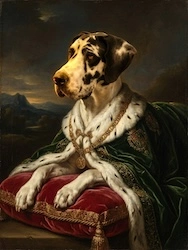
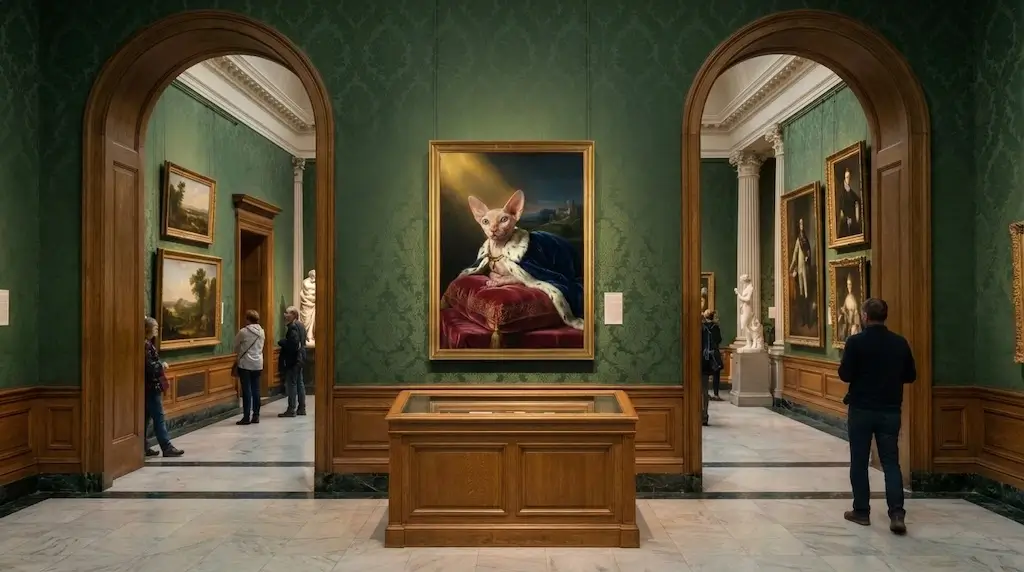
Pet Portrait Painting AI
Turn your dog, cat or any pet into a Renaissance, Pop Art or watercolor masterpiece. Free to try.
Read more →There's something timeless about a Renaissance portrait—that soft light, those warm earth tones, the feeling that the subject could step out of the frame. You've probably thought: what if that were me, or my family, or my kid? A Renaissance portrait generator does exactly that. You upload a photo, and in under a minute you get a portrait that looks like it could hang in a museum next to Leonardo or Raphael.
Here we'll show you the best Renaissance portrait generators, how they work, and how to get that Old Master look from a single photo—starting with our top pick.
When you want a true Renaissance portrait generator experience—one style among six, so you're not wading through dozens of random filters—OnReplay Portrait Masterpiece delivers. Its "Renaissance Master" style is tuned for that classic look: soft sfumato, warm tones, and the kind of dignity you'd expect from an Old Master painting. Upload a photo (selfie, family, kids, or pet), select Renaissance, and get your result in 30–60 seconds.
Portrait Masterpiece doesn't just slap a brown filter on your face. The Renaissance option is designed to preserve your likeness while applying the lighting, color palette, and texture of Renaissance oil painting. You get a free preview; when you love it, you can get a high-res file for printing or framing.
How it works: Go to Portrait Masterpiece, upload a clear photo, choose "Renaissance Master," and generate. Your Renaissance-style portrait appears in under a minute.
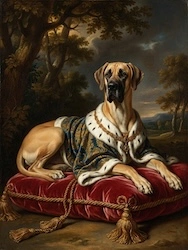
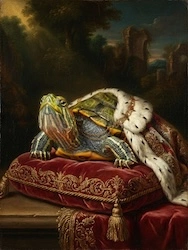
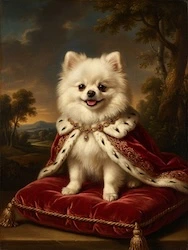
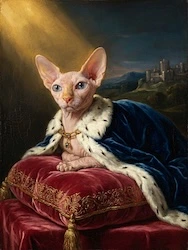
Free preview with watermark • 2 free retries
Lensa offers portrait styles that can lean classical or artistic. Quality is good; many styles are behind a subscription. Best if you already use the app.
Prisma has painting-style filters that can approximate an Old Master look. Not all are strictly Renaissance; you may need to try a few. Some free, some paid.
Canva has photo effects and portrait templates. You can get a painterly feel, but results are more generic than a dedicated Renaissance portrait generator. Good for quick graphics.
Fotor includes artistic portrait options. Free use is limited. For a single, clear Renaissance look, a tool built around that style often delivers better results.
NightCafe lets you generate images from text prompts; you can ask for "Renaissance portrait" style. More flexible but less "upload photo, get painting" than a dedicated generator.
MyHeritage focuses on enhancement and animation; they have some artistic options. Not centered on Renaissance portrait style specifically.
For a true oil or digital painting in Renaissance style by a human artist, Etsy or Fiverr connect you with painters. Unique result and you support an artist; cost and turnaround are higher.
A Renaissance portrait generator turns a modern photo into something that feels centuries old—without hiring a painter or learning to paint. That family photo becomes a piece that could hang in a study; a selfie becomes a portrait you'd be proud to frame. Tools like Portrait Masterpiece put that possibility in one click: pick Renaissance, upload, and see yourself or someone you love in the light of the Old Masters.
It's an AI tool that turns a photo into a portrait in Renaissance painting style—soft lighting, warm earth tones, oil-painting texture, often inspired by Leonardo, Raphael, or similar masters. You upload a photo and get a result in under a minute.
OnReplay Portrait Masterpiece has a dedicated "Renaissance Master" style tuned for that Old Master look. It's free to try with no signup, works for selfies and families and pets, and offers high-res download when you want to print.
Yes. Portrait Masterpiece supports multiple faces. Upload a clear family photo with everyone's face visible and good lighting, choose Renaissance, and get one cohesive painting-style portrait.
With Portrait Masterpiece, yes—you can create and preview the Renaissance style at no cost. High-resolution download is paid. Many other tools lock Renaissance or similar styles behind subscriptions.
Use a clear, front-facing photo with good lighting and the face fully visible. Avoid heavy shadows or obstructions. Portrait Masterpiece keeps your likeness while applying the Renaissance look; a good source photo helps the AI do its best.
A Renaissance portrait generator lets you step into the light of the Old Masters in under a minute. We recommend OnReplay Portrait Masterpiece: dedicated Renaissance style, free to try, no signup, plus five other art styles if you want to experiment.
Ready for your Renaissance portrait? Create it here—or explore more at OnReplay.
Turn any photo into a stunning painting — Renaissance, Pop Art, Watercolor, and more. Free preview, no signup, ready in 60 seconds.