Best Photo Animation Tools 2025
Complete guide to the top 10 photo animation tools. Compare features, pricing, and ease of use.
Read more →There's something gentle about a watercolor portrait—soft edges, delicate washes, a dreamy quality that feels both classic and personal. You've probably thought: I wish I could turn that photo into a watercolor. A watercolor portrait from photo does exactly that. You upload an image, pick a watercolor style, and in under a minute you have a portrait that looks like it was painted with real washes and visible paper texture.
Here we'll show you the best ways to create a watercolor portrait from a photo, which tools deliver that soft, painterly look, and how to get results you'd frame—starting with our top pick.
When you want a watercolor portrait from photo that actually feels like watercolor—soft washes, delicate edges, ethereal quality—OnReplay Portrait Masterpiece has a dedicated style for it. Upload a photo (selfie, family, kids, or pet), choose "Watercolor," and get a result in 30–60 seconds. No painting skills, no signup to start. You get a free preview; high-res download is available when you're ready to print or frame.
Portrait Masterpiece's watercolor option is tuned for that delicate look: soft edges, visible paper texture, and the kind of washes that make a portrait feel light and personal. Your subject stays recognizable while the result feels like a real watercolor. You also get five other styles (Renaissance, Baroque, Impressionist, Pop Art, Anime) in the same tool.
How it works: Go to Portrait Masterpiece, upload a clear photo, choose "Watercolor," and generate. Your watercolor portrait appears in under a minute.
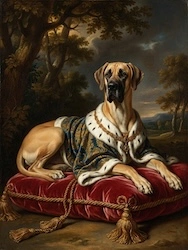
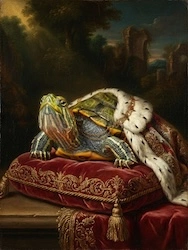
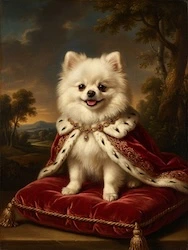
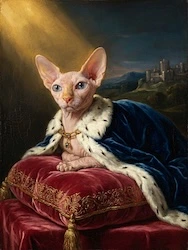
Free preview with watermark • 2 free retries
Lensa offers portrait styles that can lean soft or painterly. Quality is good; many styles require a subscription. Best if you already use the app.
Prisma has painting-style filters; some can approximate a watercolor look. Not all are tuned for true watercolor texture. Some free, some paid.
Canva has photo effects and watercolor-like templates. Useful for social graphics; for one frame-worthy watercolor portrait from a single photo, a dedicated tool often delivers better results.
Fotor includes artistic portrait options. Free use is limited. For a single, clear watercolor look, a dedicated generator is often better.
For a real watercolor painting from your photo, Etsy or Fiverr connect you with watercolor artists. You get a one-of-a-kind piece; cost and turnaround are higher. Ideal for a very special gift.
A watercolor portrait from photo turns a snapshot into something gentle and lasting. It's the kind of piece you give to a parent, hang in a nursery, or keep for yourself because it feels personal. Tools like Portrait Masterpiece put that in reach: one style dedicated to that soft, dreamy look, free to try, no signup. The emotional payoff—giving someone a portrait that feels both classic and uniquely theirs—is what makes it worth doing.
OnReplay Portrait Masterpiece has a dedicated Watercolor style: soft washes, delicate edges, visible paper texture. It's free to try with no signup, works for selfies and families and pets, and offers high-res download for printing.
Yes. Portrait Masterpiece supports multiple faces. Upload a clear family photo with everyone's face visible, choose Watercolor, and get one cohesive portrait in that style.
With Portrait Masterpiece, yes—you can create and preview the watercolor style at no cost. High-resolution download is paid. Many other tools lock watercolor or similar styles behind subscriptions.
Use a clear photo with good lighting and the face fully visible. Soft, even lighting often suits watercolor well. Portrait Masterpiece keeps your likeness while applying the watercolor look; a good source photo helps the AI do its best.
Yes. Portrait Masterpiece offers a high-res download option suitable for printing and framing. Use the highest quality export when you plan to print.
A watercolor portrait from photo gives you that soft, dreamy look in under a minute. We recommend OnReplay Portrait Masterpiece: dedicated watercolor style, free to try, no signup, plus five other art styles in one tool.
Ready for your watercolor portrait? Create it here—or explore more at OnReplay.
Turn any photo into a stunning painting — Renaissance, Pop Art, Watercolor, and more. Free preview, no signup, ready in 60 seconds.