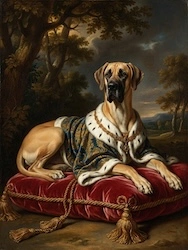
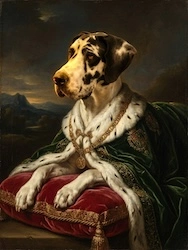
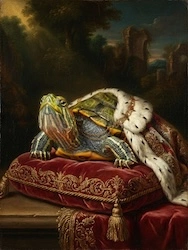
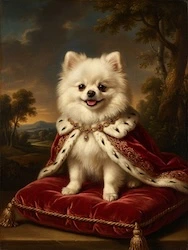
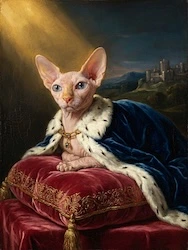
Pet Portrait Painting AI
Turn your dog, cat or any pet into a Renaissance, Pop Art or watercolor masterpiece. Free to try.
Read more →There is something deeply human about wanting to see yourself as royalty. The powdered wig, the candlelit hall, the sweep of silk across a marble floor — for centuries, only the truly powerful could commission a Baroque oil portrait. Now, baroque portrait ai has changed everything. With a handful of your own photos, you can step inside a 17th-century masterpiece and watch it move. Not a static filter. Not a costume-party snapshot. A genuine cinematic film that looks like Rembrandt and Van Dyck collaborated on your life story — and then somehow made it breathe.
Most "Baroque portrait" tools give you a single image. A fun novelty — you glance at it, smile, share it once. OnReplay's Royal Court animation is something else entirely. It is a short film. Your film. Set inside the gilded halls of Versailles, told across multiple scenes, scored with music, and rendered with the dramatic chiaroscuro lighting that made the old masters immortal.
The Royal Court world is one of OnReplay's signature creative "worlds" — immersive animated universes built around a single aesthetic era. Royal Court is all 17th-century Baroque grandeur: Louis XIV's Versailles at its most theatrical, Marie Antoinette's powder room, the hush before a coronation. When you upload your photos, OnReplay's AI doesn't just paste your face onto a costume. It studies the light in your eyes, the shape of your smile, the angle of your jaw — and it rebuilds you as a subject worthy of an oil painting. Then it sets you in motion.
The Royal Court film moves through six distinct moments inside the palace:
Each scene is rendered in Baroque oil-painting realism: deep shadow, warm amber light, that unmistakable quality where the dark parts of the frame feel almost velvety. The AI applies genuine chiaroscuro logic — the same contrast between light and dark that Caravaggio used to make a face leap from the canvas. This is not a flat filter. It is a lighting system.
A static baroque portrait ai image is impressive for about thirty seconds. Then it becomes wallpaper. What makes OnReplay different is motion — and not just any motion. The scenes are cinematic: slow pans across candlelit rooms, the subtle movement of fabric, expressions that shift between one scene and the next. The result feels like an excerpt from a prestige period drama, except the lead actor is you (or your mother, your partner, your best friend).
That emotional dimension is what makes these films shareable in a completely different way. People don't just show them once. They send them as gifts, play them at birthday parties, frame them in digital photo frames. The film format holds attention. It tells a story.
OnReplay packages are designed to scale with what you need. A short 30-second film using 5 photos starts at just $9.90 AUD — a genuinely easy entry point for a gift or a personal experiment. The mid-tier package covers 15 photos for $24.90 AUD, giving you richer coverage across all six Royal Court scenes. For the full 50-photo cinematic experience — where the AI has the most material to build something truly personal — it's $79.90 AUD.
Every package produces a film you can download and share. No subscription required. Ready in minutes. Create your Royal Court film now and see what the Sun King's court looks like with your face in the frame.
Understanding the process helps you get the most out of it — and it's genuinely fascinating. Here is what happens from the moment you upload your first photo to the moment your film is ready.
Start by selecting the photos you want to use. For the best baroque portrait ai results, variety matters more than perfection. You want:
You don't need professional headshots. Candid photos, travel photos, even good phone selfies work beautifully. The AI is remarkably good at extracting identity from imperfect source material.
On the OnReplay creation page, select the Royal Court world. This locks in the Baroque aesthetic system: the gold leaf, the Versailles architecture, the period costumes, the chiaroscuro lighting model. You are committing to the full 17th-century treatment.
If you are creating a film for someone else — a parent, a partner, a friend — this is the moment to think about what the person loves. Are they drawn to grandeur and drama? The coronation and banquet scenes will resonate. Do they have a more playful, intimate aesthetic? The powder room and salon scenes are surprisingly warm and human.
This is where the baroque portrait ai technology does its deepest work. OnReplay's model analyses your uploaded photos for identity markers — facial geometry, skin tone, the particular quality of your eyes and smile — and constructs a consistent likeness that can be placed across all six Royal Court scenes. This is harder than it sounds. Maintaining identity fidelity across different lighting conditions, different costume weights, different emotional beats requires a sophisticated understanding of both portraiture and narrative continuity.
The Baroque aesthetic layer is applied simultaneously. Your likeness is painted, in effect, with the visual grammar of 17th-century European oil painting:
Once processing is complete — typically within a few minutes — you will be able to preview your Royal Court film before downloading. Watch it through once for the full experience, then watch it again noticing the smaller details: the way the candlelight catches the fabric, the subtle shift in your expression between scenes, the gold leaf that seems almost three-dimensional in the throne room.
Download the finished film in high resolution. It is ready to share, gift, post, or treasure.
A few practical tips from people who have created dozens of Royal Court films:
The AI rewards variety. If all your photos are from the same angle under the same light, you will get a competent result. If you give it eight different moments — different moods, different lighting conditions, different distances — you will get something that feels genuinely alive. Think of it like giving a portrait painter multiple sittings rather than one.
Baroque art is not subtle. It is about intensity, contrast, grandeur. If you have a photo where you look genuinely regal — chin slightly lifted, eyes holding the frame — include it. The AI will find that quality and amplify it. Conversely, a warm, laughing photo will translate beautifully in the banquet and salon scenes. The model is context-aware; it places the right emotional register in the right scene.
The most memorable Royal Court films are made with someone specific in mind. A mother who has always loved French history. A friend who would find the powdered-wig powder room absolutely hilarious. A partner who deserves to be crowned. When you curate photos with that person's character in mind — rather than just picking the most flattering shots — the film becomes personal in a way that a generic AI portrait cannot be.
These films are designed to be cinematic. The detail work — the gold leaf, the candlelight reflections, the fabric texture — is much more visible on a laptop or TV screen than on a phone. Save the phone share for after; watch it properly first.
There is a broader cultural moment here worth acknowledging. For most of human history, the decision about who got to appear in an oil portrait was entirely about power and money. Baroque portraiture was explicitly a technology of prestige — Louis XIV commissioned portraits as propaganda, as assertions of divine right, as declarations that he was literally the Sun. The art form was inaccessible by design.
AI has democratised that language entirely. Anyone with a phone and ten minutes can now inhabit the visual vocabulary of Versailles. That might sound trivial — it's just a fun video, after all — but there is something genuinely meaningful about the ability to see yourself rendered with the visual grammar that was once reserved for kings. It says something about how we imagine ourselves, how we want to be remembered, what kind of stories we want to tell about our own lives.
OnReplay leans into this with unusual care. The Royal Court films are not costume-party kitsch. They are made with real aesthetic intelligence — Baroque lighting logic, period-accurate detail, cinematic movement. The result is something you want to watch again, not just share once and forget. That durability is what separates a great baroque portrait ai experience from a novelty filter.
It is also worth noting how well these films work as gifts. A static portrait, however beautiful, goes on the wall and stops being noticed. A film — especially a short, beautifully crafted one — gets played again. It gets shown to new people. It becomes a story that the person tells about themselves. That is a different kind of gift entirely.
Explore more about what the Royal Court world can do on our dedicated royal court animation page, or see how OnReplay brings all its worlds together in one place.
Baroque portrait ai is a category of artificial intelligence tools that generate images or videos styled after 17th-century Baroque oil painting — think Rembrandt-style lighting, chiaroscuro contrast, period costumes, and rich warm palettes. OnReplay's version goes further by producing animated short films rather than single images, placing your likeness across multiple scenes inside a cohesive Baroque world.
A static portrait is a single image. OnReplay creates a short cinematic film — typically 30 seconds to several minutes — that moves through six distinct Royal Court scenes. The result is a narrative experience with music, motion, and emotional arc. It feels closer to a period drama than a photo filter. You can learn more on the Royal Court animation page.
Chiaroscuro — literally "light-dark" in Italian — is the defining visual technique of Baroque painting. It means extremely high contrast: a brightly lit face emerging from deep, almost black shadow. Rembrandt perfected it; Caravaggio weaponised it. In OnReplay's Royal Court films, this translates to golden candlelight sculpting your face against dark, velvety backgrounds. The effect is immediately recognisable as "old master" — dramatic, intimate, and deeply flattering.
Variety is the single most important factor. Aim for five to ten photos with different angles, lighting conditions, and expressions. Clear visibility of your face is essential. Natural light is preferable to flash. You do not need professional photography — good phone photos work well. Avoid heavy filters, sunglasses, or extreme cropping. For best results, include at least one photo where you look directly at the camera and one where you are looking slightly away.
Absolutely — and it makes a genuinely extraordinary gift. Birthday films, anniversary gifts, mother's day presents, and graduation keepsakes are among the most popular uses. Upload photos of the person you are gifting, select the Royal Court world, and the finished film is theirs to keep. Start creating a gift film here.
Pricing is straightforward: a 30-second film using 5 photos starts at $9.90 AUD. A 15-photo package is $24.90 AUD. The full 50-photo cinematic film is $79.90 AUD. No subscription, no hidden fees. You pay once and receive a downloadable, shareable film. The more photos you include, the richer and more personal the final result.
The Royal Court world is one of several creative "worlds" on OnReplay. The platform covers a range of cinematic aesthetics — each one a distinct artistic universe with its own visual logic, scenes, and emotional character. Baroque is one of the most dramatic and visually rich options, but if you are curious about what else is possible, the OnReplay homepage gives you the full picture. You might also enjoy exploring Versailles photo animation or what Royal Court animation actually is for deeper context.
Baroque portrait ai is not just a technological novelty. It is an invitation to see yourself the way great artists saw their subjects — as someone worth painting, worth lighting carefully, worth placing at the centre of a grand scene. The Royal Court films that OnReplay creates carry genuine aesthetic ambition. The chiaroscuro is real. The period detail is considered. The motion is cinematic. And the face at the centre of it all is yours.
Whether you are making something for yourself, surprising someone you love, or simply curious what you look like with a powdered wig and a crown — this is the most beautiful way to find out. Create your Royal Court film today and step into your portrait. The candlelight has been waiting.
Turn any photo into a stunning painting — Renaissance, Pop Art, Watercolor, and more. Free preview, no signup, ready in 60 seconds.