Best Photo Animation Tools 2025
Complete guide to the top 10 photo animation tools. Compare features, pricing, and ease of use.
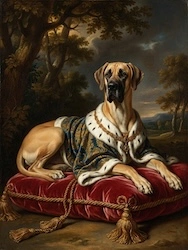
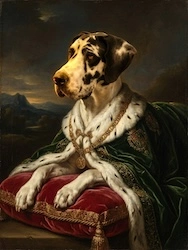
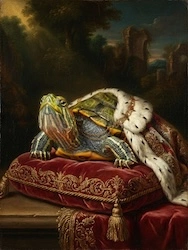
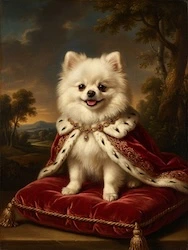
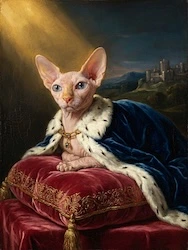
Read more →There is something quietly magnificent about imagining yourself dressed in silk and gold, standing in a sun-drenched hall of mirrors while a string quartet plays softly in the background. If you have ever wanted to turn a photo into a royal portrait — not a flat filter or a novelty sticker, but a genuinely breathtaking, oil-painting-style cinematic experience — you are in exactly the right place. In minutes, OnReplay can take an ordinary photo of you and transform it into a sweeping Baroque film where you are the undisputed monarch of Versailles.
Most apps that promise a royal makeover give you a static image: a face swap, a costume overlay, maybe a sepia filter. OnReplay does something fundamentally different. The Royal Court world does not just make you look like a royal — it places you inside a living, moving, emotionally charged film set in 17th-century Baroque Versailles.
Your photos are reimagined with AI into a complete cinematic narrative called A Day at Versailles. The story unfolds scene by scene, each one more lavish than the last:
The aesthetic draws from the very best visual references of the era: Marie Antoinette's powder-blue excess, Louis XIV's gold-saturated grandeur, the drama of Flemish oil portraiture, and the cinematic sweep of Hollywood period films. The result is not a costume party — it is a genuinely moving piece of visual art that happens to star you.
Why does it feel so emotional? Because the film is built around your face, your loved ones, and the specific people you upload. When your grandmother appears as a Baroque duchess in a candlelit ballroom, the effect is not just beautiful — it is tender and funny and deeply personal all at once. It is the kind of thing people watch and immediately send to their entire family.
Pricing is remarkably accessible. You can create a 30-second Royal Court film with 5 photos for just $12.90 AUD — perfect for a quick, magical gift. A 15-photo film runs $32.90 AUD, giving you a fuller narrative arc. The complete 50-photo cinematic experience is $99.90 AUD, and it is genuinely the kind of thing people frame on their walls and screen at birthday parties. Ready to begin? Create your Royal Court film now.
The process is designed to be joyful and simple, even if you have never used an AI creative tool before. Here is exactly how it works.
Head to the Royal Court creator and select how many photos you want to use. If you are creating a gift for someone special, the 15-photo package is the sweet spot — enough scenes to tell a real story, at a price that feels like a treat rather than a splurge.
You will see the Royal Court world tile glowing with its signature gold crown icon. Tap it to enter the world and read through the scene descriptions so you know exactly what visual magic each photo will be transformed into.
This is where it pays to be a little thoughtful. The AI does extraordinary things, but giving it good material helps it do its very best work. Here is what to look for when choosing photos for your royal portrait film:
Once you have chosen your photos, upload them through the creator interface. OnReplay's system will walk you through assigning each photo to a scene in the narrative arc. You can decide which face appears in which moment — who gets the coronation, who appears at the banquet, whose likeness the AI will drape in silk and powder.
This is genuinely one of the most fun parts of the whole process. Deciding that your dad gets the throne-room coronation, or that your best friend is perfectly cast as the Baroque salon intellectual — it turns the act of uploading photos into a little creative game.
Once your photos are uploaded and assigned, hit create and let OnReplay's AI do what it does. Depending on the length of your film and server load, processing typically takes a few minutes. You will receive a notification when your film is ready.
During this time, the AI is doing something genuinely complex: it is not just filtering or overlaying a costume. It is repainting each face in the style of Baroque oil portraiture, placing it into a photorealistic Versailles environment, and then animating the entire composition into a moving film with camera movement, light flicker, and cinematic pacing.
When your film is ready, preview it in full before downloading. Watch for how the light catches the faces, how the scene transitions flow, and how each person has been transformed. Most people watch it twice before they can bring themselves to close it.
Download in high resolution and share however feels right — send it directly as a gift, post it to social media (these films perform extraordinarily well on Instagram and TikTok), or save it as a keepsake video file.
In an age when we take hundreds of photos a week and most of them disappear into a camera roll never to be seen again, there is something quietly radical about taking a single image of someone you love and transforming it into art. Not a filter. Not a meme. Actual, visually stunning, emotionally resonant art.
The Royal Court world taps into something deep. Humans have always wanted to be portrayed as significant. For centuries, only the powerful and the wealthy could commission oil portraits that would hang in grand rooms and outlast their subjects by hundreds of years. There is a reason those portraits are still in museums — they confer dignity, permanence, beauty.
OnReplay democratises that entirely. For less than the cost of a cinema ticket, anyone can have a Baroque portrait film. Your grandmother can be the duchess she always secretly suspected she was. Your best friend can be coronated. Your child can be placed in a palace garden wearing silk, looking out over a landscape that stretches to the horizon.
These are not novelties. They are the kinds of gifts people cry over. The kinds of things families pass around at reunions. The kind of video someone watches alone at night when they are missing someone, and feels — just for a moment — that everything is golden and grand and deeply, beautifully alive.
That is why it matters. That is why so many people who create their first Royal Court film immediately come back to create another one for someone else.
You do not need a professional photo at all. OnReplay's AI works well with everyday smartphone photos. The most important thing is that the face is reasonably clear and well-lit. A candid photo taken in natural light often works beautifully — sometimes even better than a stiff, formal shot, because the natural expression comes through in the final portrait. Avoid very dark images or photos where the face is partially obscured.
Royal Court is one of OnReplay's creative "worlds" — a themed cinematic universe inspired by 17th-century Baroque Versailles. When you choose this world, your uploaded photos are transformed into oil-painting-style portraits and animated into a full narrative film called A Day at Versailles. The scenes include a throne-room coronation, a candlelit ball, palace gardens, a lavish banquet, the powder room, and a salon. It is a fully produced cinematic experience, not just a static filter or image edit. You can learn more on the Royal Court animation page.
Packages start at just $12.90 AUD for a 30-second film using 5 photos — a wonderful option if you want to try it out or create a quick, personal gift. The 15-photo film is $32.90 AUD and gives a fuller, richer cinematic experience. The complete 50-photo Royal Court film is $99.90 AUD and is the best option for milestone gifts like birthdays, anniversaries, or family reunions. All packages include the full animated film with AI-generated Baroque environments, cinematic camera movement, and downloadable high-resolution video.
Baroque portraiture refers to the grand, richly detailed oil-painting style that flourished in 17th-century Europe — think Vermeer, Rembrandt, and the official court painters of Louis XIV at Versailles. These portraits are characterised by dramatic lighting (often candlelight or a single strong light source), sumptuous fabrics and textures, elaborate backgrounds, and an overall sense of grandeur and psychological depth. OnReplay's AI recreates this aesthetic by re-rendering uploaded faces in the style of period oil painting, placing them in architecturally accurate Versailles environments, and animating the result with period-appropriate motion and atmosphere.
Yes, and this is one of the most moving things people do with OnReplay. Scanned old photos — even black-and-white ones — can be transformed into Royal Court films, which is an extraordinarily powerful way to honour grandparents or family members who have passed. The AI handles lower-resolution images reasonably well, though a clean scan at the highest resolution available will give the best results. Many people describe watching a late grandparent appear as a Baroque monarch as one of the most unexpectedly emotional experiences they have had with any app.
Royal Court is OnReplay's dedicated Versailles Baroque world, but the platform offers a range of other cinematic worlds across different aesthetics and eras. If you love the idea of historical and period-style portrait animation, it is worth exploring the full world library on the OnReplay app. You might also enjoy reading about Versailles photo animation or Baroque portrait AI for more ideas on how to use period-style AI artistry with your photos.
Processing time varies depending on the number of photos and current server load, but most films are ready within a few minutes of submission. You will receive a notification when your film is complete. The 5-photo starter package is typically the fastest to process. For milestone gifts where timing matters — a birthday, an anniversary — it is worth creating your film at least a day in advance so you have time to preview and download it without any last-minute anxiety.
You do not need a title, a castle, or a court painter on retainer. You just need a photo and a few minutes. OnReplay's Royal Court world will do the rest — draping your likeness in gold and silk, placing you in the most magnificent palace in history, and giving you a cinematic film you will share, treasure, and return to for years.
Whether you are making a gift for someone who deserves to feel truly seen and celebrated, or simply indulging the quiet suspicion that you have always been a little bit regal, this is the most beautiful way to turn a photo into a royal portrait that genuinely moves people.
Start with the package that feels right for you — even the $12.90 starter film will leave you a little breathless. Begin your Royal Court film now and step into Versailles.
Turn any photo into a stunning painting — Renaissance, Pop Art, Watercolor, and more. Free preview, no signup, ready in 60 seconds.