Digital download
$29
High-resolution file without watermark, delivered by email right after purchase. Easy to share with the whole family.
Families rarely end up in the same picture: someone lives abroad, a baby arrived after the last reunion, someone is always behind the camera. Portrait Masterpiece takes one photo of each person and paints them together, as a family, in a single portrait.
Upload 2 to 6 photos, choose a painting style and see your free preview in 30–60 seconds.
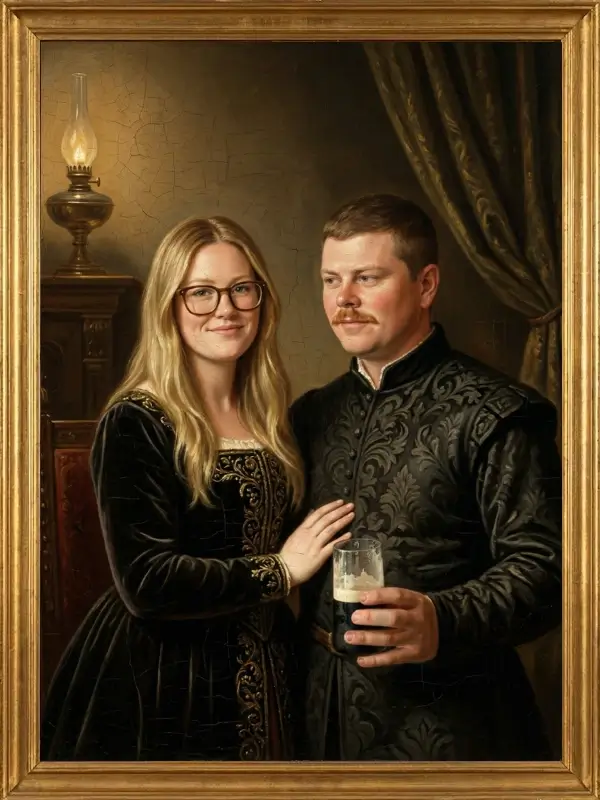
Pick a clear photo of each person where the face is well lit and not hidden by sunglasses or a hat. The photos can come from different years, places and phones.
Add 2 to 6 photos. The AI places everyone in one scene and paints them in the same style, so different backgrounds and lighting in the originals matter far less than in a photo montage.
Check the free watermarked preview, retry another style if you like, then keep the digital file ($29) or order a print or canvas.
Each of these portraits brings several people into one scene. Painting them in a single style is what makes separate photos feel like they were taken together.
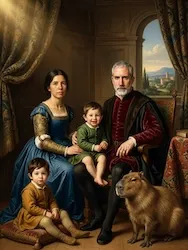
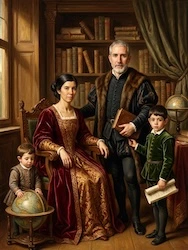
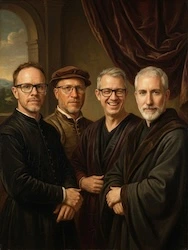
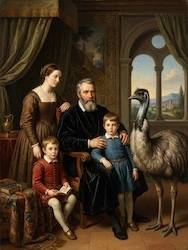
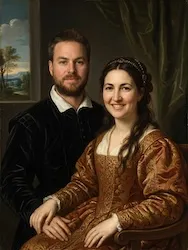
The Family option accepts up to 6 photos. For a larger family, many people create one portrait per household — for example one for each of the grandparents’ children — or choose the six people the gift is really about.
For children only, the Kids option takes up to 4 photos, one per child.
Pasting people from different photos into one picture rarely looks right: the light, the sharpness and the colors never quite match. A painting sidesteps the problem because everyone is rendered with the same brushwork, palette and lighting.
And unlike a commissioned painter, you see the result before you pay: the preview is free, digital files are $29, prints start at $89 and canvases at $299.
You only pay once you have seen your painting. Prices shown in USD — also available in EUR, GBP, AUD and CAD.
$29
High-resolution file without watermark, delivered by email right after purchase. Easy to share with the whole family.
from $89
Archival paper, 8″ x 10″ to 24″ x 36″. Free shipping.
from $299
Cotton canvas on a wooden frame, ready to hang, 12″ x 16″ to 40″ x 60″. Free shipping.
See every size on the pricing page or the canvas page.
Yes. In the Family option of Portrait Masterpiece you upload one photo per person and the AI paints everyone together in a single scene and a single style.
Between 2 and 6 photos, one for each person. For children only, the Kids option accepts up to 4.
No. Because everyone is repainted in the same style, differences between the original photos matter much less than in a photo collage. Clear, well-lit faces still give the best likeness.
Yes — as long as you have a clear photo of them, they can be painted alongside everyone else, even if they were born after your other photos were taken.
Yes. Scan it or photograph it flat in good daylight. If it is black and white, you can colorize it first with our free colorizer.
The preview is free. The digital file is $29, prints start at $89 and gallery canvases at $299, with free shipping on physical orders.